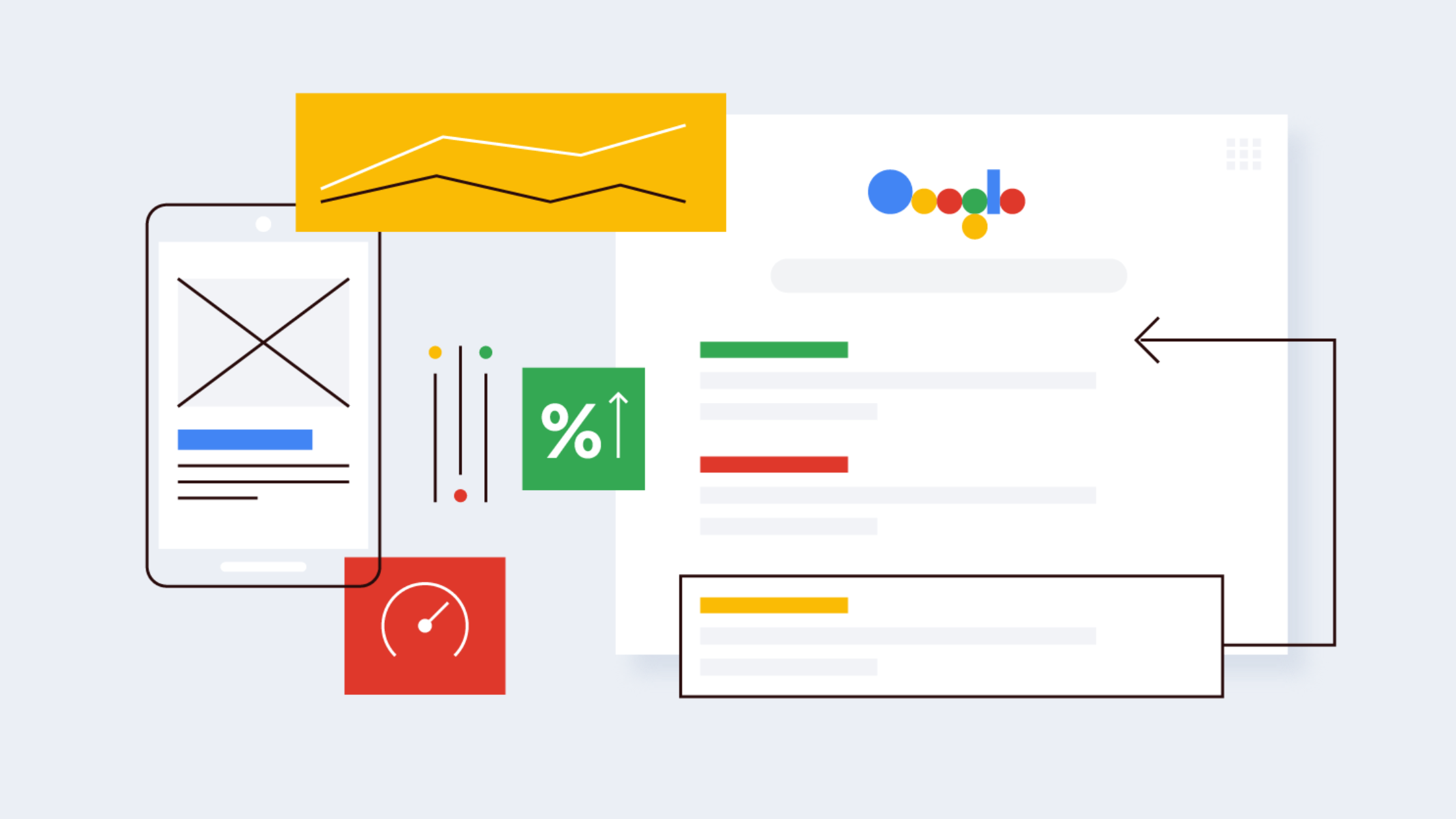
The Impact of Mobile App Performance on User Retention

In the highly competitive world of mobile app development, acquiring users is just the first step. To truly succeed, apps must focus on retaining their users. One of the most critical factors in user retention is mobile app performance. In this blog, we will delve into app performance’s profound impact on retaining users and explore strategies to ensure a seamless user experience.

  1. First Impressions Matter:
    • Discuss how users often decide within seconds whether to keep or uninstall an app based on its initial performance.
    • Highlight the importance of optimizing app loading times, responsiveness, and smooth animations for a positive first impression.


  2. Reducing App Crashes:
    • Explain the frustration users experience when an app crashes or freezes.
    • Offer tips on effective error handling, crash reporting, and continuous monitoring to minimize app crashes.


  3. Battery and Resource Efficiency:
    • Explore how apps that drain battery quickly or consume excessive device resources can deter users.
    • Share techniques for optimizing code to reduce resource consumption and extend battery life.


  4. Network Performance:
    • Discuss the significance of optimizing app performance in different network conditions (3G, 4G, and Wi-Fi).
    • Provide insights into efficient data caching and minimizing network requests.


  5. User Feedback and Ratings:
    • Explain how user feedback and app store ratings are directly influenced by app performance.
    • Suggest strategies for gathering user feedback and using it to improve performance.


  6. Load Times and User Engagement:
    • Examine the correlation between app load times and user engagement.
    • Offer lazy loading and prefetching solutions to enhance user engagement.


  7. Updates and Continuous Improvement:
    • Emphasize the importance of regular updates to address performance issues.
    • Discuss the role of user feedback and analytics in guiding these updates.


  8. Competition and Alternatives:
    • Highlight how users have a plethora of alternatives and how performance issues drive them to switch apps.
    • Stress the importance of staying ahead of the competition by providing a superior user experience.


  9. Monitoring and Analytics:
    • Introduce tools and practices for monitoring app performance and user behavior.
    • Explain how data-driven decisions can lead to continuous performance improvements.


  10. Conclusion:
    • Summarize the key points about the impact of mobile app performance on user retention.
    • Encourage app developers to prioritize performance optimization as an ongoing process.

By focusing on mobile app performance, developers can retain users and enhance their app’s reputation and satisfaction, ultimately leading to long-term success in the competitive app market. 

Hire our Mobile App Development services.
The Benefits of Hiring Laravel Web Development Services

Hiring Laravel Web Development services can offer several benefits for your web development projects. Laravel is a popular open-source PHP framework that provides tools and features to streamline the development process, enhance code quality, and create robust web applications.

Here are some of the benefits of hiring Laravel web development services:

  1. Rapid Development: Laravel comes with a variety of built-in tools and libraries that speed up the development process. This allows developers to create web applications more quickly compared to starting from scratch.


  2. Modular Architecture: Laravel follows the MVC (Model-View-Controller) architecture, which promotes a separation of concerns and modularity. This makes the codebase more organized, maintainable, and scalable.


  3. Eloquent ORM: Laravel’s Eloquent ORM (Object-Relational Mapping) simplifies database operations by providing an intuitive and expressive way to interact with databases. This reduces the amount of manual SQL coding and improves code readability.


  4. Security: Laravel incorporates security features like hashed passwords, protection against SQL injection, and cross-site scripting (XSS) attacks. It also provides built-in tools for handling authentication and authorization.


  5. Community and Documentation: Laravel has a vibrant and active community of developers who contribute to its growth. This results in regular updates, bug fixes, and a wealth of documentation and tutorials available online.


  6. Testing Support: Laravel includes a testing suite for writing unit and integration tests. This promotes the development of robust, bug-free applications by allowing developers to catch issues early in the development process.


  7. RESTful Routing: Laravel makes it easy to define clean and understandable RESTful routes, which are crucial for creating APIs and maintaining a consistent URL structure.


  8. Caching and Performance: Laravel provides caching mechanisms that can significantly improve the performance of your applications. Features like built-in support for popular caching systems and a query caching system help in optimizing database queries.


  9. Blade Templating Engine: Laravel’s Blade templating engine simplifies the process of creating dynamic views and layouts. It supports features like template inheritance and control structures, making it easier to manage complex UIs.


  10. Third-party Integration: Laravel allows easy integration with third-party services and packages through Composer, a dependency management tool for PHP. This means you can leverage existing solutions to add functionality to your application without reinventing the wheel.


  11. Active Record Implementation: Laravel’s Active Record implementation, provided by Eloquent, simplifies database interactions and allows developers to work with database records as objects, making the code more intuitive and expressive.


  12. Scalability: With proper architecture and coding practices, Laravel applications can be designed to scale effectively as your user base grows.

In summary, hiring Laravel web development services can provide you with a solid foundation for creating feature-rich, secure, and maintainable web applications. However, it’s important to choose experienced and skilled developers who are well-versed in Laravel to fully leverage these benefits.

Kindly click here for more insights.

To hire Laravel developers visit: https://www.nullplex.com/contact-us

Why Flutter Flow is getting popular, but also has a few drawbacks!

Are you tired of spending countless hours writing code for your #MobileApp? Look no further than #FlutterFlow! This visual development platform has taken the mobile app world by storm with its ability to create cross-platform apps quickly and easily. However, as with any technology, there are #ProsAndCons to using Flutter Flow. Let’s dive in and explore what makes this platform so popular, as well as some of its potential drawbacks.

Pros:

One of the main #advantages of #Flutter Flow is that it simplifies the development process. Developers can create UI components using drag-and-drop tools, which can significantly reduce the time and effort required to build a mobile app. The platform also generates Flutter code automatically, which means that developers don’t need to worry about writing complex code from scratch.

Another advantage of Flutter Flow is that it allows developers to create cross-platform apps easily. Flutter Flow uses #Google’s Flutter framework, which allows developers to create mobile apps that run on both #iOS and #Android devices. This eliminates the need to create separate codebases for different platforms, which can save a lot of time and effort.

Cons:

However, there are also some #drawbacks to using Flutter Flow. One of the main drawbacks is that it can be challenging to customize the code generated by the platform. Although Flutter Flow generates high-quality code, it can be challenging to modify it to meet specific requirements. This means that #developers may need to have some knowledge of Flutter to customize the code generated by the platform.

Another #disadvantage of using Flutter Flow is that it can be challenging to work with large projects. The platform’s visual development tools can be challenging to use with complex projects, which means that developers may need to switch to writing code manually. This can defeat the purpose of using Flutter Flow, which is to simplify the development process.

In conclusion, Flutter Flow has become #popular due to its ease of use and the ability to create cross-platform mobile apps quickly. However, developers should be aware of the limitations of the platform, such as the difficulty in customizing generated code and working with large projects. As with any technology, Flutter Flow is not a silver bullet and should be evaluated carefully to determine whether it’s the right choice for a particular #project.

Are you interested in building your next app with Flutter Flow? Contact us here to learn more about how we can help you leverage this innovative platform to create high-quality mobile apps quickly and easily.

Top 5 Benefits of Flutter Mobile App Technology

Flutter is an open-source mobile app development framework created by Google. It has rapidly gained popularity among developers and businesses for its ability to create high-quality, cross-platform mobile apps. In this article, we will discuss the top 5 benefits of Flutter mobile app technology.

  1. Cross-Platform Development: Flutter allows developers to write code once and deploy it on both Android and iOS platforms. This cross-platform capability saves developers time and money, as they don’t need to create separate codebases for each platform. Flutter also ensures consistency across both platforms, providing a seamless user experience.


  2. Faster Development: Flutter’s hot reload feature allows developers to see changes in the app’s code instantly, without needing to wait for the app to rebuild. This speeds up the development process significantly and allows developers to make changes and iterate quickly. Flutter also provides a wide range of customizable widgets and tools, which speeds up the development process even further.


  3. High-Performance Apps: Flutter uses a fast and efficient programming language called Dart, which compiles directly to native machine code. This results in high-performance mobile apps that have smooth animations and fast loading times. Flutter’s rendering engine also ensures that the app’s UI is fast and responsive, providing a better user experience.


  4. Customizable User Interfaces: Flutter provides a wide range of customizable widgets and tools that allow developers to create beautiful and engaging user interfaces. These widgets are highly customizable and can be adapted to fit a wide range of design requirements. Flutter also provides a rich set of animations and effects that can be used to make the app’s UI more engaging and interactive.


  5. Easy to Learn and Use: Flutter has a simple and easy-to-understand syntax, making it easy for developers to learn and use. It also provides a wide range of resources and documentation, making it easier for developers to get started with Flutter. Additionally, Flutter’s customizable widgets and tools make it easier for developers to create high-quality mobile apps without needing to write a lot of custom code.

In conclusion, Flutter is an excellent choice for businesses and developers looking to create high-quality, cross-platform mobile apps quickly and efficiently. Its cross-platform capability, faster development times, high-performance apps, customizable user interfaces, and ease of use make it one of the top mobile app development frameworks available today. With Flutter, businesses can save time and money while still delivering high-quality mobile apps that provide a great user experience.

View some of our mobile app projects here

To get developed one for your business, reach out to us here

How Do I Get My Website to Rank on Google?

If you have a website, you likely want it to appear on the first page of Google search results. After all, the higher your website ranks, the more likely it is that people will find and click on it. But with so many websites out there, how do you make sure yours stands out? Here are some tips to help you improve your website’s ranking on Google. 

  1. Develop a website: 
    Hire a trusted digital agency dealing in website development. Make sure that your website should be visible on all mobile and desktops. Check out how to design responsive a website.


  2. Research relevant keywords 
    Before you start optimizing your website for search engines, you need to figure out what keywords people are using to search for your content. Use tools like Google Keyword Planner, SEMrush, or Ahrefs to find relevant keywords and phrases that you can use throughout your website.


  3. Optimize your website for those keywords 
    Once you have a list of relevant keywords, it’s time to optimize your website for them. Check it out on our SEO page. Make sure that your website content, including headlines, meta descriptions, and image alt tags, includes these keywords. But be careful not to overdo it – Google penalizes websites that use too many keywords.


  4. Publish high-quality content
    One of the most important factors in ranking on Google is the quality of your website content. Make sure that you’re publishing high-quality, relevant content on a regular basis. This will not only keep your visitors engaged but also signal to Google that your website is an authoritative source of information.


  5. Get backlinks
    Backlinks are links from other websites that point to your website. The more high-quality backlinks you have, the more likely it is that Google will consider your website to be an authority in your niche. Reach out to other website owners and ask if they would be willing to link to your website.


  6. Use social media to promote your website
    Social media can be a powerful tool for driving traffic to your website. Share your content on social media platforms like Facebook, Twitter, and LinkedIn. This will not only help you reach a wider audience but also signal to Google that your website is popular and relevant. Check out here how you can do Social Media Marketing


  7. Improve your website’s speed
    Google takes website speed into account when ranking websites. Make sure that your website loads quickly by optimizing images, minimizing code, and using a fast web host.


  8. Use Google My Business
    Google My Business is a free tool that allows you to manage your business information across Google, including in search results and Google Maps. Make sure that your business information is up to date and that you’re using relevant keywords in your description. 


By following these tips, you can improve your website’s ranking on Google and increase your visibility to potential visitors. Keep in mind that SEO is an ongoing process, so it’s important to continue monitoring and optimizing your website over time. 

Hybrid vs Native Apps: Choosing the Right Approach for Android Development

When it comes to developing apps for the Android platform, developers are often faced with a crucial decision: should they build a hybrid app or a native app? Both approaches have their merits and drawbacks, particularly in the Android ecosystem. Let’s explore the key differences to help you make an informed choice for your next Android project. 

Native Android Apps 

Native Android apps are built specifically for the Android operating system using Java or Kotlin programming languages and the Android SDK. 

Pros: 

  1. Optimal Performance: Native apps can fully leverage Android’s hardware capabilities, resulting in faster and more responsive applications. 
  2. Rich User Experience: They adhere to Android’s design guidelines (Material Design), providing a familiar and intuitive interface for users. 
  3. Full Access to Android Features: Native apps can easily integrate with all Android-specific features like notifications, widgets, and intents. 
  4. Google Play Store Optimization: They can take full advantage of Google Play Store features and are more likely to be featured. 
  5. Security: Native apps generally offer better security options and can more easily implement advanced features like encryption. 

Cons: 

  1. Higher Development Costs: Require specialized Android developers, which can be more expensive. 
  2. Longer Development Time: Building a complex app from scratch can be time-consuming. 
  3. Platform Dependency: The app will only work on Android devices, requiring separate development for other platforms. 

Hybrid Android Apps 

Hybrid apps for Android are essentially web applications wrapped in a native container. They’re built using web technologies (HTML, CSS, JavaScript) and frameworks like Ionic, React Native, or Flutter. 

Pros: 

  1. Cross-Platform Compatibility: The same codebase can be used to create apps for both Android and iOS. 
  2. Faster Development: Generally quicker to develop, especially for simpler apps. 
  3. Cost-Effective: Can be more budget-friendly, particularly for multi-platform projects. 
  4. Easier Updates: Changes can be pushed to all users simultaneously without going through the Play Store approval process (for web-based content). 
  5. Larger Developer Pool: Web developers can create Android apps using familiar technologies. 

Cons: 

  1. Performance Limitations: May not perform as well as native apps, especially for graphics-intensive or complex applications. 
  2. Inconsistent User Experience: Might not fully adhere to Android’s UI/UX guidelines, potentially feeling less “native” to users. 
  3. Limited Access to Native Features: Accessing some Android-specific features may require additional plugins or native code bridges. 
  4. Framework Dependence: Reliance on third-party frameworks which may have limitations or become outdated. 

Factors to Consider for Android Development 

  1. App Complexity: For high-performance or feature-rich apps (e.g., games, AR applications), native development is often the better choice. 
  2. Development Timeline: If you need to launch quickly on multiple platforms, hybrid development can be faster. 
  3. Budget Constraints: Hybrid development can be more cost-effective, especially for startups or small businesses. 
  4. Target Audience: Consider the Android versions your users are likely to have and the devices they use. 
  5. App Store Optimization: Native apps generally have an advantage in the Google Play Store. 
  6. Long-term Maintenance: Think about how easy it will be to update and maintain your app over time. 
  7. Team Expertise: Assess whether your team is more proficient in Android-specific technologies or web technologies. 

Conclusion

For Android development, both hybrid and native approaches have their place. Native Android apps offer the best performance, user experience, and access to platform-specific features, making them ideal for complex, high-performance applications or apps that need deep integration with Android systems. 

Hybrid apps, on the other hand, provide a cost-effective and efficient way to develop for multiple platforms simultaneously. They’re particularly suitable for content-driven apps, MVPs, or when you need to launch quickly across different platforms. 

Ultimately, the choice between hybrid and native for Android app should be based on project’s specific requirements, team’s expertise, target audience, and long-term app strategy.

Iconic Framework vs Flutter: A Deep Dive into Performance and Features

Introduction: 

Ionic Framework and Flutter are two technologies for cross-platform mobile app development, but they have some key differences in how they operate, their underlying technologies, and what they offer to developers. 

Technology Stack and Language: 

Flutter: 

  1. Uses Dart as its programming language, which is optimized for UI development
  2. Builds fully native apps by compiling Dart code to native ARM code. 
  3. Provides better performance and UI flexibility because it renders the UI directly on the screen without a bridge to a WebView.  

Ionic Framework: 

  1. Built on web technologies like HTML, CSS, and JavaScript
  2. Primarily uses Angular, but also supports React and Vue frameworks. 
  3. Runs as a web app within a native WebView component, meaning it is a hybrid app rather than fully native. 
Performance: 

Flutter: 

  1. Native Compilation Flutter compiles code directly to native machine code, resulting in high performance. 
  2. Flutter’s rendering engine, Skia, ensures smooth animations and fast UI updates. 
  3. Delivers consistent performance across different devices and platforms. 
  4. Hot Reload Speeds up development by allowing instant code changes to be reflected in the app. 

Ionic Framework: 

  1. Hybrid Approach Ionic builds apps using web technologies (HTML, CSS, and JavaScript) wrapped in a native container. 
  2. Due to the JavaScript bridge, there can be performance overhead, especially for complex interactions. 
  3. Careful optimization, including minimizing JavaScript execution and using native components, can significantly improve performance. 
UI Components and Customization 

Flutter: 

  1. Offers a highly customizable widget-based UI system that allows for custom designs and animations. 
  2. Widgets are rendered by Flutter’s engine, so what you design in Flutter will look and behave the same on all devices, regardless of platform. 
  3. Flutter’s widgets are compiled directly into native code, ensuring smooth and responsive UI interactions. 

Ionic Framework: 

  1. Provides pre-styled components that adapt to iOS and Android themes, giving a native-like look and feel. 
  2. Ionic leverages web technologies (HTML, CSS, and JavaScript) to build UI components. 
  3. Ionic offers a library of pre-built components that can be customized using CSS. 
Ecosystem and plugins 

Flutter: 

  1. Flutter boasts a vast and growing ecosystem of plugins that allow developers to access native device features like camera, GPS, sensors, and more. 
  2. Developers can create custom plugins using Dart and platform-specific languages to extend Flutter’s capabilities. 
  3. Flutter has a dedicated package repository where developers can find and share reusable code. 

Iconic Framework 

  1. Ionic leverages web technologies like JavaScript, HTML, and CSS, which have a mature ecosystem of libraries and frameworks. 
  2. Ionic integrates with native plugins through Cordova or Capacitor, allowing access to device features. 
  3. Developers can utilize a wide range of third-party libraries to enhance their Ionic apps. 
Development Experience and Learning  

Flutter: 

  1. Flutter require Dart which may have a steeper learning curve, though it is an easy language to pick up, especially for developers familiar with languages like Java or JavaScript. 
  2. Once developers are familiar with the framework, Flutter’s hot reload feature allows for rapid development cycles. 
  3. While the core concepts are relatively simple, mastering Flutter’s widget system and state management can take some time. 

Ionic Framework: 

  1. Ionic leverages familiar web technologies like HTML, CSS, and JavaScript, making it easier for web developers to get started. 
  2. The learning curve is generally more gradual, especially for developers with web development experience. 
  3. While Ionic offers a faster development workflow compared to native app development. 
Best Use Cases 

Flutter: 

  1. Great for high-performance, graphically-rich apps or apps where the design is key. 
  2. Best suited for apps that need to look consistent across iOS and Android and require access to advanced native features. 

Ionic Framework: 

  1. Ideal for lightweight apps that rely heavily on standard UI patterns and have moderate performance needs 
  2. Best suited for apps that need to be available as web, mobile, and PWA (Progressive Web App). 
Conclusion: 

Choose Ionic if your team is more web-focused and wants an app that runs across web and mobile platforms quickly. Flutter is the better option for building high-performance native apps, especially if UI and design flexibility are important. 

Importance of Having A Website For A Startup Business

  1. Online Presence:
    In today’s digital age, having an online presence is vital for any business. A website allows you to have a 24/7 online presence and reach out to potential customers from different parts of the world. Even if your start-up business is small, having a website gives you a professional image that can attract customers and investors.


  2. Increased Credibility:
    A professional-looking website can increase your credibility as a start-up business. Potential customers are likely to trust a business that has a well-designed website with relevant information. A website can also help you showcase your products or services, customer testimonials, and your mission and vision.


  3. Marketing:
    A website is a great marketing tool for a start-up business. You can use your website to promote your products or services and reach out to potential customers. Additionally, you can integrate your website with social media platforms to increase your online presence.


  4. Customer Support:
    A website can also serve as a platform for customer support. You can include a contact form or chatbot on your website to address customer inquiries and concerns. This can help you build a loyal customer base and improve your customer service.


  5. Analytics:
    A website allows you to track user behavior and analyze the effectiveness of your marketing campaigns. With tools like Google Analytics, you can monitor your website traffic, see which pages are popular, and track conversion rates. This information can help you make data-driven decisions to improve your website and marketing strategies. 


In conclusion, having a website for your start-up business is essential. It can help you reach out to potential customers, increase your credibility, and promote your products or services. A website is also cost-effective and can serve as a platform for customer support and marketing. Don’t let your start-up business fall behind the competition, build a website today.

7 Elements That Influence Conversions in Education Web Design 

  1. Clear value proposition
    The value proposition of an education website should be clear and compelling. Visitors should be able to quickly understand what sets the institution apart from its competitors. Use concise and persuasive language to communicate your value proposition, such as “Get the hands-on experience you need to succeed in your career.”


  2. Relevant images and videos
    Images and videos are powerful tools for showcasing an educational institution’s offerings. Use high-quality images and videos that accurately represent the institution and its programs. Include images of campus life, classrooms, and faculty members, as well as videos that provide an inside look at programs and experiences.


  3. Calls to action
    Calls to action (CTAs) are buttons or links that encourage visitors to take a specific action, such as “Apply Now” or “Schedule a Visit”. Use clear and prominent CTAs throughout the website, making it easy for visitors to take the next step in the enrollment process.


  4. Social proof
    Social proof is the idea that people are influenced by the opinions and actions of others. Use testimonials from current and former students, faculty members, and alumni to demonstrate the value of the institution. Additionally, include social media feeds to showcase the institution’s engagement and community.


Career Hire Us
Request Callback

Got An Idea?

Let’s Build It.

Tell us what you need, and our team will guide you from concept to launch with clarity, speed, and expert care.