Flutter VS React Native: Which to choose?

Flutter and React Native are both mobile app development framework for building cross-platform applications for android and IOS with a single codebase, but each have unique features and strengths that make them suitable for different use case.

Overview

Flutter:

Flutter is cross-platform framework developed by google in 2017 , it is open-source UI toolkit that allows developers to create application for mobile, web and desktop from single codebase. Flutter uses the dart programming language and provides a rich set of pre-designed widgets that enable developers to create beautiful, fast, and highly customizable UI.

React Native:

React native is cross-platform framework developed by Facebook in 2015 and is popular framework enable to developers to build mobile using javascript and React, it allows to create apps that render natively across platfoms by using native components and has large ecosystem of third-party libraries and tools.

Difference between Flutter and React native

Programming language

Flutter:

Uses Dart programming language, a less widely used language compare to JavaScript. Dart is easy to learn.

React Native:

Uses JavaScript language, the most popular language for web development.  React library, making it easier for web developers to transition into mobile app development.

Performance

Flutter:

Known for its high performance. Flutter apps are compiled directly to native machine code, which reduces the performance overhead of JavaScript bridges in React native. This makes Flutter a strong choice for apps that require smooth animations or complex graphic.

React Native:

General performs well but can experience performance issues due to the JavaScript bridges that connects JavaScript code to native components. For most use case, the performance is sufficient, but apps with heavy animations or complex interaction might encounter limitation.

Development Experience

Flutter:

Flutter Providers a highly productive development experience with its HOT RELOAD feature, which allows developers to see changes instantly without losing the app state. Flutter also has excellent documentation and robust set of developer tools.

React Native:

React native also support FAST REFRESH, a similar feature to Flutter’s HOT RELOAD. React Native benefits from large community and extensive resources, but some developers report challenging with managing compatibility issues across different devices and platforms.

UI Components

Flutter:

Flutter uses customizable widgets that replace native platform components, widgets are highly customizable, so you can have more control over the look and design of your app.

React Native:

React Native uses native components for IOS and Android, UI components look like platforms native UI components, so if IOS updates, the app will update too.

Community and Ecosystem

Flutter:

Has a growing community and ecosystem, with increasing adoption by companies worldwide. While Flutter’s ecosystem is not as mature as React Native’s, it is rapidly expanding, especially after Google’s strong support and promotion.

React Native:

Has a large, mature community and ecosystem due to its longer time in the market. There are numerous third-party libraries, plugins, and tools available to speed up development and solve common challenges.

Platforms

Flutter:

Support  mobile (IOS and Android), Web and desktop (Windows and MacOS, Linux), This makes Flutter a versatile choice for developers looking to build applications across multiple platforms.

React Native:

Primarily focused on mobile platforms (iOS and Android).

When to choose Flutter:

  • High Performance: If your app requires high performance, especially with complex animations, graphics or real-time updates.
  • Custom UI: if you need highly customized UI that looks consistent across platforms, Flutter’s rich set of widgets and customizable rendering engine.
  • Multi-Platform: If you plan to support not only mobile but also web, desktop, or embedded devices, Flutter’s cross-platform capabilities can save significant development time and effort.

When to choose React Native:

  • JavaScript Familiarity: If your team is already proficient in JavaScript or React, adopting React Native can reduce the learning curve and speed up development.
  • Native Look: If you want your app to have a more “native” appearance and leverage native components, React Native might be a better fit.
  • Large Ecosystem: If you need access to a vast ecosystem of third-party libraries, plugins, and tools, React Native’s mature community can provide valuable resources.

Conclusion

Both Flutter and React Native are powerful Framework for cross-platform app development, each with its own set of advantages and challenges. To chose which framework to use will depend on specific project requirements

Diversifying Your Projects: Ensuring Stability and Cash Flow in an Uncertain World

In the world of freelancing and entrepreneurship, it’s tempting to focus all your efforts on that one lucrative project that promises significant returns. However, depending solely on a single high-cost project can be risky. Market fluctuations, changing client needs, or unexpected project cancellations can leave you vulnerable. To ensure long-term stability and consistent cash flow, it’s crucial to diversify your projects and continually seek new opportunities. This blog will explore the importance of project diversification, the risks of over-reliance on a single project, and strategies to maintain a healthy cash flow.

The Risks of Relying on a Single High-Cost Project

  1. Income Instability: No matter how profitable, a single project ties your financial stability to one source. If the project gets delayed or cancelled, you might face significant income gaps, impacting your ability to meet expenses and obligations.

  2. Market Vulnerability: Economic downturns or industry-specific shifts can affect your project’s viability. Being tied to one project means that market changes can directly impact your financial health, leaving you with little room to manoeuvre.

  3. Client Dependence: Relying heavily on one client can create an imbalance in your business relationship. You might feel pressured to meet all their demands, even if unreasonable, to secure your income, leading to potential burnout and stress.

  4. Limited Growth Opportunities: Focusing solely on one project restricts your exposure to different experiences and challenges. Diversifying allows you to learn new skills, expand your network, and grow professionally.


The Benefits of Diversifying Your Projects

  1. Financial Stability: Having multiple projects ensures a steady stream of income. If one project ends or faces issues, others can sustain you, providing a buffer against financial uncertainty.

  2. Risk Mitigation: Diversification spreads your risk across various projects and clients. If one industry or client experiences a downturn, your other projects can help offset the impact, safeguarding your overall business.

  3. Enhanced Skill Development: Working on different projects exposes you to a variety of challenges and learning opportunities. This diversification enhances your skill set, making you more versatile and attractive to potential clients.

  4. Broader Network: Engaging with multiple clients and projects expands your professional network. A diverse network can lead to more referrals, collaboration opportunities, and insights into different market trends.

  5. Increased Negotiating Power: With multiple projects, you’re not overly dependent on any single client. This independence allows you to negotiate better terms and maintain a healthier work-life balance.


Strategies to Diversify and Maintain Cash Flow

  1. Regularly Seek New Opportunities: Make it a habit to search for new projects, even when you’re busy. Use online platforms, attend industry events, and network actively to discover potential clients and opportunities.

  2. Balance Long-Term and Short-Term Projects: Mix long-term contracts with short-term gigs. Long-term projects provide stability, while short-term ones keep your workflow dynamic and adaptable.

  3. Develop a Niche and Broaden Your Services: Specialize in a niche to establish expertise and attract specific clients, but also offer a range of services to cater to different needs. This balance allows you to tap into various markets.

  4. Maintain a Financial Buffer: Save a portion of your earnings to create a financial cushion. This buffer can support you during lean periods or when transitioning between projects, ensuring you can cover expenses without stress.

  5. Leverage Multiple Income Streams: Explore different income sources related to your field. This could include consulting, online courses, digital products, or passive income from investments. Multiple streams provide additional financial security.

  6. Stay Updated and Adaptable: Keep up with industry trends and be willing to adapt your skills and services. Being flexible allows you to pivot when necessary and take advantage of new opportunities.

  7. Build Strong Client Relationships: Nurture relationships with your clients through excellent communication and service. Satisfied clients are more likely to offer repeat business and refer you to others.


Conclusion

Relying on a single high-cost project might seem like a surefire way to secure your financial future, but it’s fraught with risks. Diversifying your projects ensures financial stability, mitigates risks, and promotes professional growth. By continuously seeking new opportunities, balancing different types of projects, and maintaining a financial buffer, you can create a resilient and sustainable business model. Remember, in the dynamic world of freelancing and entrepreneurship, diversification is not just a strategy—it’s a necessity for long-term success and security.

– Neha Chothave

What Is the Internet of Things (IoT) and How Does It Affect You?

Internet of Things or IoT floating around. But what exactly does it mean, and why should you care?

What Is IoT?

The Internet of Things (IoT) refers to the network of physical objects often called “smart” devices that are embedded with sensors, software, and other technologies to connect and exchange data with other devices and systems over the internet. Simply put, it’s the idea of giving everyday objects the ability to communicate with each other and with us through the internet.

Examples of IoT Devices

  • Smart Thermostats:

      Devices like the Nest Thermostat learn your temperature preferences and adjust heating and cooling automatically to save energy and keep your home comfortable.

  • Smart Speakers:

       Amazon Echo and Google Home are smart speakers that use voice commands to control other smart devices, play music, provide weather updates, and more.

  • Fitness Trackers:

       Wearables such as Fitbit or Apple Watch monitor your physical activity, heart rate, and even sleep patterns, syncing this data to apps that help you track your health.

  • Smart Lights:

       Philips Hue and other smart lighting systems allow you to control the brightness and color of your lights from your smartphone, or even set schedules and automate lighting based on your routines.

  • Smart Refrigerators:

       These can track the contents of your fridge, suggest recipes based on what’s inside, and even create shopping lists to help you keep track of what you need.

  • Smart Locks:

       Devices like August Smart Lock let you lock and unlock your door remotely using your smartphone, and some even allow for keyless entry using a digital code.

How IoT Impacts Your Everyday Life

  • Convenience: IoT devices simplify daily tasks. For instance, you can control your home’s lighting and temperature from anywhere using your smartphone, which makes life more convenient and comfortable.
  • Efficiency: Smart devices often help optimize energy use and reduce waste. A smart thermostat adjusts your home’s temperature based on your habits, potentially lowering your utility bills.
  • Health and Fitness: Fitness trackers and smart health monitors provide insights into your physical well-being, helping you make better lifestyle choices and track your progress toward health goals.
  • Enhanced Security: IoT devices like smart cameras and locks offer improved home security by allowing you to monitor and control your property remotely, providing peace of mind.
  • Personalization: Many IoT devices learn from your preferences and behavior to tailor their functionality to your needs, such as recommending songs you like or adjusting the lighting to suit your mood.

Privacy and Security Concerns

While IoT devices bring numerous benefits, they also raise important privacy and security concerns:

  • Data Collection: Many IoT devices continuously collect data about your habits, preferences, and personal information. This data can be valuable to companies but may also pose privacy risks if not properly protected.
  • Hacking Risks: As with any internet-connected device, IoT devices can be vulnerable to hacking. Unauthorized access to these devices can potentially compromise your home security or personal information.
  • Data Sharing: Some IoT devices share data with third parties, which can lead to concerns about how your information is used and who has access to it.
  • Device Management: Managing the security of multiple connected devices can be challenging. Each device needs to be updated and secured, which can be a daunting task for users who are not very familiar with technology.

How to Protect Your Privacy with IoT Devices

  • Change Default Settings: Always change default passwords and security settings on your IoT devices to reduce the risk of unauthorized access.
  • Regular Updates: Keep your devices and their software up-to-date to protect against vulnerabilities and security threats.
  • Use Strong, Unique Passwords: Use strong, unique passwords for each device and consider using a password manager to keep track of them.
  • Monitor Device Activity: Regularly check the data and activity of your IoT devices to ensure that they are functioning correctly and securely.
  • Limit Data Sharing: devices to limit the amount of data shared with third parties.

Conclusion

The Internet of Things is transforming how we interact with the world around us, offering enhanced convenience, efficiency, and personalization. However, it’s essential to remain mindful of privacy and security concerns to ensure that your smart devices contribute positively to your life without compromising your personal data.

Single Page Application vs Multiple Page Application

Single Page Application (SPA) and a Multiple Page Application (MPA) are two common web development architectures, each with distinct characteristics, use cases, and approaches to user interaction.

Single Page Application (SPA)

Single Page Application is a web application that loads a single HTML page and dynamically updates the content as the user interacts with the app. Instead of reloading the entire page for every user interaction or navigation, SPAs load necessary components and data using AJAX or fetch requests, enabling smoother and faster experiences.

Characteristics:
– Dynamic Content: SPAs load content dynamically as users interact, typically using JavaScript (e.g., React, Angular, Vue.js).
– Single Load: The application is loaded once, and only data is fetched or sent to the server when needed, avoiding full-page reloads.
– Routing with JavaScript: Routing (navigating between different parts of the app) is handled on the client side, usually with libraries like React Router.
– API-centric: SPAs frequently communicate with backend APIs (e.g., RESTful or GraphQL) to fetch data or perform operations asynchronously.
– Responsive and Fast: User interactions feel fast and responsive because only specific components update, and no page refresh is needed.

Advantages:
– Fast and Responsive UX: Only parts of the page are updated, reducing the need for full-page reloads.
– Smooth Transitions: Navigating between views is seamless, creating a fluid experience.
 Offline Support: SPAs can cache necessary resources and data, allowing the app to function offline with technologies like Service Workers.
– Reusability of Components: UI components can often be reused across the application, which speeds up development.

Disadvantages:
– SEO Challenges: SPAs traditionally struggle with SEO because search engines might not fully crawl or render JavaScript-heavy content.
 Initial Load Time: The first load may take longer since more resources (e.g., JavaScript files) are needed to load the app.
– JavaScript Dependency: Since most logic happens client-side, the application heavily depends on JavaScript being enabled and functioning correctly.

Examples of SPAs:
– Gmail
– Facebook
– Twitter
– Google Maps

Multiple Page Application (MPA)

Multiple Page Application is a traditional web application that loads a new HTML page from the server whenever a user interacts or navigates. Every time a user clicks on a link or submits a form, the server sends a new page back to the browser.

Characteristics:
– Full-page Reloads: Each user action results in a new page request from the server, leading to full-page reloads.
– Server-side Rendering (SSR): Each page is rendered on the server and sent to the client. This makes MPAs SEO-friendly as the content is always visible to search engines.
– State Management: Since the state (i.e., the state of the UI, user data, etc.) is often reset with each page load, maintaining a consistent state across pages is more complex without relying on additional tools.
– Separate Pages: Each page is a separate HTML document, and the application uses server-side logic to manage and serve different pages.

Advantages:
– Better SEO: Since content is rendered server-side, search engines can easily index the content of each page.
– Simpler to Develop: Traditional page-based architecture is easier for developers familiar with server-side rendering and doesn’t require complex client-side JavaScript.
– Security: Since most rendering happens server-side, there is generally less exposure to client-side vulnerabilities.

Disadvantages:
– Slower Navigation: Full-page reloads result in slower navigation and less fluid user experience.
– Resource Intensive: More server requests are made for each navigation action, and larger amounts of data (complete pages) are transferred.
– Complex UI State Management: Managing the UI state across multiple pages requires more effort, especially when passing data between pages or keeping parts of the interface consistent.

Examples of MPAs:
– Traditional eCommerce websites (e.g., Amazon)
– News websites (e.g., BBC, The New York Times)
– Content-heavy blogs

Key Differences Between SPA and MPA

FeatureSPAMPA
Page Reloads No (content is loaded dynamically)Yes (full-page reloads for each request)
Performance Fast navigation after initial loadSlower navigation due to reloads
SEOChallenging, though solutions exist (e.g., pre-rendering)Better SEO as content is server-rendered
Development ComplexityHigher (requires managing client-side logic)Lower (server-side logic is more straightforward)
User ExperienceSmooth, app-like experienceMore traditional web experience
Initial LoadLonger due to loading JS filesTypically shorter, but may load extra unused assets
Offline SupportPossible with caching mechanismsRarely supported, difficult to implement
State ManagementEasier with client-side frameworksHarder to maintain across different pages

When to Use SPA vs. MPA

– Use Single Page Applications if:
  – You need a highly interactive app (e.g., social media platforms, dashboards, SaaS products).
  – You want a fast, responsive experience for users once the app is loaded.
  – SEO is not the primary concern or you have workarounds for SEO (e.g., server-side rendering).

– Use Multiple Page Applications if:
  – SEO is crucial (e.g., blogs, eCommerce sites, news portals).
  – You have a content-heavy site with less interactivity.
  – You prefer server-side rendering and simpler development.

Each approach has its own strengths and trade-offs, and the decision to use SPA or MPA depends on the specific requirements and goals of the project.

Managing and maintaining a database structure for a global technologies

Steps for Managing and maintaining a database structure for a global technologies:

  1. Database Design and Architecture
  • Scalability: Design your database to handle growth in data volume, user load, and geographic distribution. Use techniques like sharding, partitioning, and data replication.

  • Redundancy and High Availability: Ensure your database is always available by implementing failover mechanisms, redundant systems, and backup strategies.

  • Data Modeling: Use a robust data model that accommodates future growth and changes. Normalize data to eliminate redundancy, but also denormalize where necessary to optimize read performance.


  1. Technology Selection
  • Database Management Systems (DBMS): Choose a DBMS that fits your needs. Relational databases like MySQL, PostgreSQL, and SQL Server are great for structured data, while NoSQL databases like MongoDB, Cassandra, and Redis are suitable for unstructured data.

  • Cloud Solutions: Consider using cloud-based databases like AWS RDS, Google Cloud SQL, or Azure SQL Database for their scalability, security, and managed services.


  1. Global Distribution and Replication
  • Geographical Distribution: Use geographically distributed databases to reduce latency and improve performance for users worldwide. Techniques include data replication and distribution across multiple data centers.

  • Consistency Models: Choose the right consistency model (e.g., eventual consistency vs. strong consistency) based on your application needs and user expectations.


  1. Security and Compliance
  • Data Encryption: Implement encryption at rest and in transit to protect data from unauthorized access.

  • Access Control: Use role-based access control (RBAC) to ensure only authorized personnel can access sensitive data.

  • Compliance: Adhere to international regulations such as GDPR, CCPA, and HIPAA to ensure data privacy and security.


  1. Performance Optimization
  • Indexing: Use appropriate indexing strategies to speed up query performance.

  • Query Optimization: Regularly analyze and optimize queries to reduce load and improve response times.

  • Caching: Implement caching strategies to reduce database load and improve performance.


  1. Monitoring and Maintenance
  • Monitoring Tools: Use monitoring tools like Nagios, Prometheus, or cloud-native solutions to track database performance, health, and usage.

  • Regular Maintenance: Perform regular maintenance tasks such as vacuuming, reindexing, and log management.

  • Alerting: Set up alerts for key performance metrics and potential issues to enable proactive maintenance.


  1. Backup and Recovery
  • Regular Backups: Schedule regular backups and ensure they are stored securely and tested periodically for integrity.

  • Disaster Recovery Plan: Develop and test a comprehensive disaster recovery plan to ensure business continuity in case of data loss or corruption.


  1. Documentation and Training
  • Documentation: Maintain thorough documentation of the database structure, configurations, and maintenance procedures.

  • Training: Regularly train your database administrators and developers on best practices and new technologies.

  1. Version Control and CI/CD
  • Version Control: Use version control systems like Git to manage database schema changes.
  • CI/CD Pipelines: Implement continuous integration and continuous deployment pipelines to automate testing and deployment of database changes.

Conclusion

Managing and maintaining a database structure for global technology requires a multifaceted approach that balances scalability, performance, security, and compliance. By focusing on key areas such as robust database design and architecture, appropriate technology selection, and effective global distribution and replication strategies, you can ensure that your database infrastructure can handle growth and provide high availability.

– Madhuri Bankar.

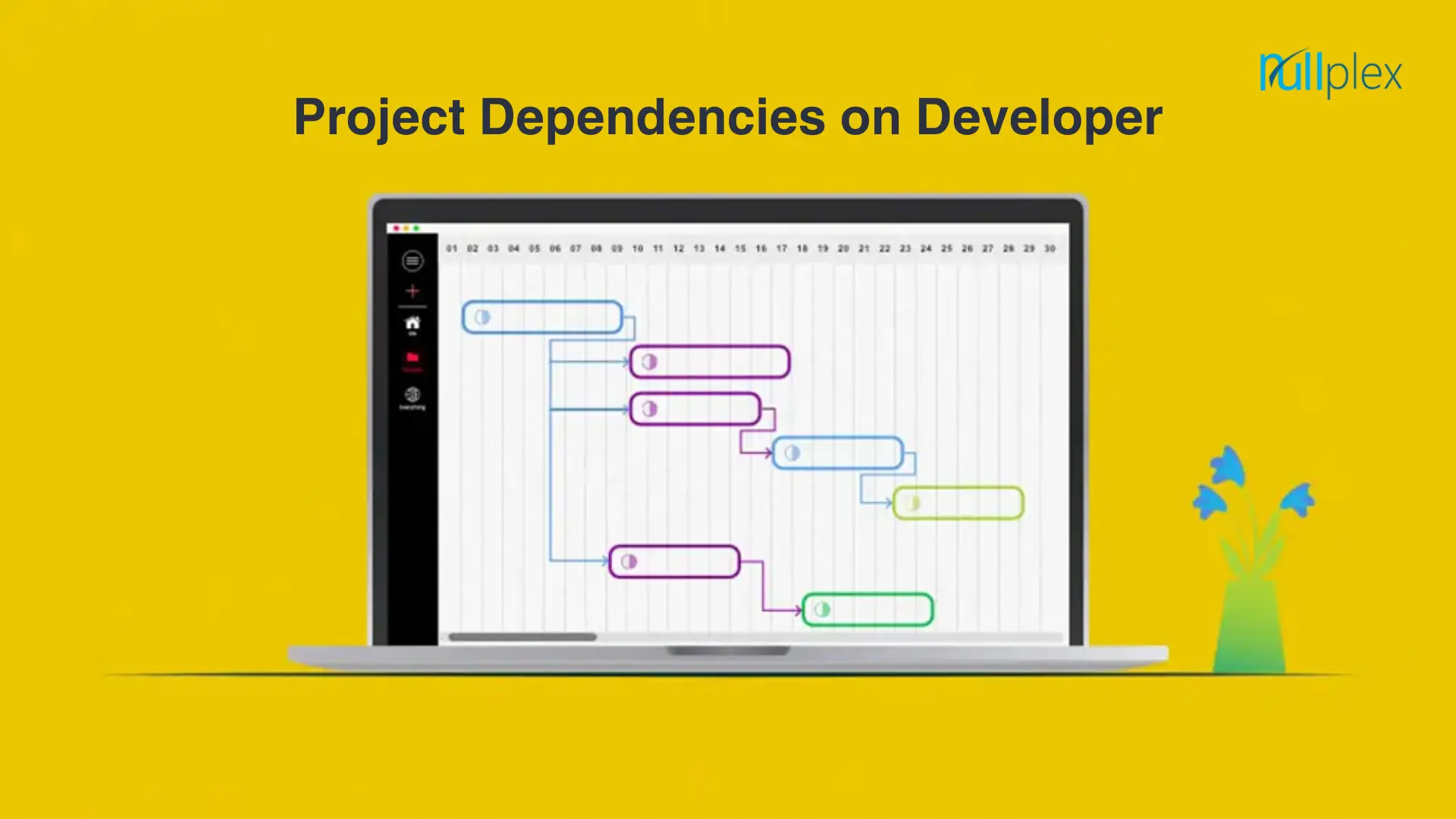
Developer Dependency: A Key Element in Project Execution

Project dependencies refer to the relationships between tasks or activities within a project, where the completion or timing of one task depends on the completion of another.

Types of Project Dependencies

  1. Logical dependencies

Logical or causal dependencies are quintessential to project management and cannot be avoided as they are necessary for project completion.

Tasks with logical dependencies cannot be performed simultaneously. Without completing a preceding task, the succeeding task cannot be started.

Example – You cannot publish a blog on your website straight away. It has to be written, reviewed, and edited before it is ready to be published.

  1. Cross-team dependencies

Cross-team dependencies are commonly witnessed in large-scale organizations where teams from different departments work together to complete a single complex project. In this case, teams depend on each other to achieve a common goal i.e. timely project completion and delivery.

  1. Discretionary dependencies

Discretionary dependencies, also known as preferred or soft logic dependencies, are those that are at the discretion of project teams, other stakeholders, and best industrial practices. These are not necessary for project completion but can help improve the quality of project deliverables.

  1. Internal dependencies

Internal project dependencies are those that project teams have complete control over and there’s no dependence on outside parties. Internal dependencies are when two tasks or activities within the same project are dependent on each other and there’s no reference to external projects and activities.

Example – The Quality Analyst team is not in a position to test software until the development process is finished.

  1. External dependencies

Opposite to internal dependencies, external dependencies are those when project teams have no control over external factors and are not in a position to do anything to escalate the project’s progress.

Although most project activities are controlled by internal teams. Many external factors can affect the progress of the projects such as client approval, vendors, tools, and others.

Example – A project team cannot start working on a project until the client (external party) gives the go-ahead to the team. In this case, a project team is dependent on external parties i.e. client to start working on a project.

Task dependencies in project management :

Finish to Start (FtS)

This task dependency is the most prevalent. Task A must be finished before Task B can begin.

Finish to Finish (FtF)

Before Task A is finished, Task B cannot be finished. This frequently occurs with tasks that have subtasks.

Start to Start (StS)

Task B cannot begin until Task A begins under this model. These are for tasks that need to be completed concurrently.

Start to Finish (StF)

For Task A to be finished, Task B must begin. This is crucial in circumstances where there must be overlap.

Conclusion :

Also, weekly assigned tasks will make it easier for the reviewing party to provide feedback in a more timely manner.

Weekly goals will help you focus on little portions of the projects, minuscule tasks that can be mapped out beforehand according to their urgency and priority.

These goals will help the team focus more on the task at hand. Therefore, there is no chance that they would get overwhelmed by the pressure of the upcoming tasks.

Practices for Optimizing Flutter Apps for Performance

Flutter, a popular cross-platform development framework, offers developers the ability to create high-performance applications that run seamlessly across multiple platforms. However, achieving optimal performance requires a combination of best practices, careful planning, and continuous monitoring. This guide explores strategies for optimizing Flutter apps, drawing insights from leading experts in the field.

Understanding Flutter Performance Optimization

Performance optimization in Flutter involves a variety of techniques aimed at ensuring our app runs efficiently, providing a seamless user experience. Key areas of focus include minimizing resource usage, optimizing widget rebuilding, and leveraging asynchronous operations effectively. By adopting these strategies, we can significantly enhance our app’s performance, leading to higher user satisfaction and retention rates.

Best Practices for Flutter Performance Optimization

  1. Avoid Unnecessary Widget Rebuilds: Minimizing unnecessary widget rebuilds can drastically reduce the computational overhead of our app. Use keys wisely to preserve the state of widgets across rebuilds.

  2. Prefer Async/Await: Leveraging async/await for asynchronous operations can lead to cleaner, more readable code and improved performance by allowing the Dart VM to perform other tasks while waiting for I/O operations to complete.

  3. Reduce App Size: Smaller apps load faster and consume less memory. Optimize our app size by removing unused dependencies, compressing images, and splitting your app into smaller, more manageable modules.

  4. Terminate Unused Resources: Properly manage resources by terminating those that are no longer needed, preventing memory leaks and improving app responsiveness.

  5. Minimize Imported Library Resources: Be selective about the libraries we import into our app. Each additional library increases the app’s size and potentially introduces performance bottlenecks.

  6. Render Frames Within 16 ms: Aim to render frames within 16 milliseconds to maintain a smooth visual experience. Use Flutter’s performance profiling tools to identify and address frame rate drops.

  7. Avoid Using ListView for Long Lists: For long lists, consider alternatives like ListView.builder or CustomScrollView to reduce the initial load time and memory usage.

  8. Use Const Keyword Where Possible: Marking variables and widgets as constant (const) allows Flutter to reuse them, reducing the need for re-rendering and improving performance.

Architectural Considerations

  • Pure Build Function: Implement pure functions for building widgets to ensure consistent behavior and performance across rebuilds.

  • Test Critical Functionalities: Writing tests for critical functionalities helps identify and fix performance issues early in the development cycle.

  • State Management: Choose an appropriate state management solution that balances complexity with performance requirements.

Conclusion

Optimizing Flutter apps for performance is a multifaceted endeavor that requires a blend of best practices, strategic planning, and the use of performance analysis tools. By adhering to these guidelines, developers can ensure their Flutter apps deliver a smooth, responsive experience to users, contributing to higher engagement and success in the marketplace.

– Kanchan Patil.

How to Maintain a Healthy Work-Life Balance?

What is Work-Life Balance?:

Healthy work-life balance refers to maintaining a harmonious relationship between your work and personal life. It involves consciously managing your time and energy to meet both professional and personal commitments while prioritizing self-care and well-being. Striking this balance isn’t just about time management; it’s about energy management and making conscious choices that align with your values.

You should expect disruptions to this balance and anticipate the scales between work and life duties to shift frequently. Work responsibilities often interfere with personal commitments, and personal issues can impact work performance. It’s essential, however, to recognize what factors can negatively impact your work-life balance.

What factors can disrupt your work-life balance?

Numerous factors can disrupt the balance between your work and personal duties, such as:

  • Excessive work hours
  • Limited flexibility in your work schedule
  • Fear of losing your job
  • Last-minute family duties, such as a sick child
  • Long commute times
  • Increased personal responsibilities, such as aging parents
  • Taking calls after work hours
  • Ongoing health issues
  • Childcare issues
  • Lack of boundaries between work and life duties

The importance of work-life balance:

  1. Reduces Stress: If you’re feeling overwhelmed at work and home, developing a solid balance between work and personal responsibilities is necessary. The good news is that setting clear boundaries between your work and personal duties can help to alleviate this stress and bring more joy to your overall life.
  2. Improved mental and physical health: Long-term stress can affect your mental and physical well-being and lead to health issues like depression, anxiety, heart disease, and high blood pressure. Bringing balance to your life can give you time to focus on yourself and reduce the risk of these illnesses.
  3. Strengthens Relationships: Time away from work allows you to nurture relationships with family and friends, building a strong support network which can provide encouragement during tough times at work.
  1. Higher Productivity: Do you ever feel like you’re working more but completing less? When you feel unbalanced, your mind can wander to the things you wish you were doing. When you feel you have time for both work and play, projects go smoothly because you can focus on one thing at a time.
  2. Career Advancement: If you’re not getting projects completed on time, have mind-drift during meetings, and wake up dreading going to work, chances are you’re not going to be the first person your boss thinks of when it’s time for a raise or promotion. Making enough time for sleep and exercise helps you fully participate and be present at work to keep you on track for advancement.

Tips for Achieving Work-Life Balance

  1. Plan ahead: Plan to combine work activities with leisure, social, or fitness activities. If you find yourself with several virtual meetings back-to-back, try taking them while you go for a walk.
  2. Define Your Priorities: Take the time to identify your core values and priorities in life. Reflect on what truly matters to you, both personally and professionally. This self-awareness will guide you in making decisions that align with your values and help you strike a balance between work and personal life.
  3. Set Boundaries: One of the first steps to achieving balance is creating clear boundaries between work and personal life. Avoid checking work emails during your downtime, and try to leave work-related stress at the office
  4. Learn to Say No: Learning to say no is a powerful skill when it comes to maintaining work-life balance. Prioritize your commitments and avoid overloading yourself with excessive work or personal obligations. Remember, saying no to certain things allows you to say yes to what truly matters to you.
  5. Make Time for Yourself: Self-care is essential to maintaining your mental and physical well-being. Whether it’s exercising, reading, meditating, or simply spending time outdoors, dedicate time each day to activities that recharge you.
  6. Prioritize Self-Care: Make self-care a non-negotiable part of your routine. Engage in activities that nourish your mind, body, and soul, such as exercising, meditating, pursuing hobbies, or spending quality time with loved ones. Taking care of yourself ensures you have the energy and resilience to excel in both your personal and professional life.
  7. Take Breaks and Vacations: Short breaks throughout the day help refresh your mind, while vacations allow for longer recovery periods. Both are essential for maintaining balance and preventing burnout.

Conclusion

The conclusion of work-life balance is that it’s important for both individuals and organizations and can lead to many benefits. Work-life balance isn’t a one-size-fits-all formula. It’s a dynamic, ongoing process that involves conscious decisions about how to allocate your time and energy. By setting boundaries, managing your time wisely, and prioritizing self-care, you can maintain a healthy balance that leads to greater satisfaction in both your professional and personal life.

The Benefits of Using Front-End Frameworks in Web Development

Front-end frameworks are powerful tools used by web developers to streamline the process of building complex, interactive, and responsive web applications. Here are several reasons why using a front-end framework is advantageous:

  1. Efficiency and Speed

Reusable Components: Front-end frameworks provide a library of reusable components (e.g., buttons, forms, modals) that developers can quickly integrate into their projects, saving time on design and implementation.

Pre-built Functionality: Many frameworks come with pre-built functionalities and patterns for common tasks such as data binding, form validation, and routing, reducing the amount of code developers need to write from scratch.

  1. Consistency and Standardization

Unified Codebase: Using a framework ensures that the codebase follows a consistent structure and coding standards, making it easier for multiple developers to work on the same project.

Best Practices: Frameworks often enforce best practices in web development, helping developers avoid common pitfalls and write more maintainable code.

  1. Responsive Design

Mobile-Friendly: Modern front-end frameworks like Bootstrap and Foundation are designed with mobile-first principles, ensuring that web applications are responsive and work well on a variety of devices and screen sizes.

  1. Cross-Browser Compatibility

Polyfills and Shims: Frameworks often include polyfills and shims that handle cross-browser inconsistencies, allowing developers to write code that works across different web browsers without having to worry about compatibility issues.

  1. Enhanced User Experience

Rich Interactivity: Front-end frameworks like React, Angular, and Vue.js provide advanced features for building highly interactive user interfaces, such as state management, component lifecycle methods, and virtual DOM manipulation.

Smooth Transitions and Animations: These frameworks often include built-in support for animations and transitions, contributing to a more polished and engaging user experience.

  1. Community Support and Resources

Extensive Documentation: Front-end frameworks typically come with comprehensive documentation that helps developers understand how to use their features effectively.

Community Contributions: A large and active community around popular frameworks means that developers can find a wealth of tutorials, plugins, extensions, and forums to assist with troubleshooting and extending functionality.

  1. Scalability

Modular Architecture: Frameworks encourage a modular approach to development, where the application is broken down into smaller, manageable components. This makes it easier to scale and maintain the codebase as the application grows.

State Management: Tools and patterns provided by frameworks (like Redux for React) help manage application state in a predictable way, which is crucial for building large-scale applications.

  1. SEO Optimization

Server-Side Rendering (SSR): Frameworks like Next.js (built on React) offer server-side rendering capabilities, which can improve the SEO of web applications by ensuring that search engines can crawl and index the content effectively.

Static Site Generation (SSG): Some frameworks support static site generation, which pre-renders pages at build time, improving load times and SEO performance.

  1. Debugging and Testing Tools

Developer Tools: Many front-end frameworks come with integrated developer tools that help with debugging, performance monitoring, and state inspection.

Testing Utilities: Frameworks often provide or are compatible with robust testing utilities and libraries (e.g., Jest for React, Jasmine for Angular), facilitating thorough testing of the application.

In summary, front-end frameworks significantly enhance the development process by providing tools and patterns that boost productivity, ensure consistency, and improve the overall quality and performance of web applications.

– Amol Kanade

The Power of APIs: The Hidden Backbone of Modern Technology

APIs, which stand for Application Programming Interfaces, are essential tools that allow different software components to communicate and transfer data seamlessly. Developers use APIs to bridge gaps between various pieces of code, creating applications that are powerful, resilient, secure, and tailored to meet user needs. Although invisible to end-users, APIs operate tirelessly in the background, enabling the digital experiences that are integral to our daily lives.

Examples of APIs in Everyday Life

  • GitHub API

The GitHub API provides developers with a set of tools to interact programmatically with GitHub. This means developers can automate tasks such as creating, reading, updating, and deleting repositories, files, and issues. For instance, a developer might use the GitHub API to automatically create a new repository and add collaborators whenever a new project is created in their project management tool, saving time and reducing the risk of manual errors.

  • PayPal API

PayPal is a leading payment service provider, and its API simplifies and secures the payment process. On many e-commerce websites, you’ll find a “Pay with PayPal” option. Clicking this button redirects you to PayPal to complete the transaction. PayPal’s API ensures your debit or credit card information is securely handled, protecting your financial details from being shared with merchants.

  • Social Media Bots

Bots like Twitter and Reddit utilize open APIs to perform various automated tasks. For example, a Twitter bot might send you reminders to drink water, or a Reddit bot could reply to comments with punchlines. These bots respond to triggers from the platform’s API, demonstrating how APIs facilitate creative and practical solutions.

  • Third-Party Login

Many applications allow users to sign in using their Facebook, Google, or GitHub accounts. This process involves an API call to check if the user is already signed in to the third-party service, handling authentication on behalf of the application. This integration simplifies the login process and enhances security.

  • Weather Apps

Weather apps and smart devices often gather data through APIs from weather services. Instead of collecting weather data independently, these applications send API requests to weather services to retrieve accurate and up-to-date information, showcasing how APIs streamline access to external data sources.

  • Streaming Services

Platforms like Netflix and Spotify use APIs to distribute media content across various devices, ensuring compatibility and a seamless streaming experience whether on a PC, smart TV, or mobile device.

  • Financial Apps

Banks use internal APIs to manage all aspects of their financial services. These APIs enable different departments, from customer service to account management, to communicate and work together efficiently.

Benefits of APIs

APIs connect various software systems, applications, and devices by allowing them to communicate with one another. This unlocks many benefits, ranging from enhanced user experiences to increased business efficiency. The most common advantages of APIs include:

  • Automation:APIs can be used to automate repetitive, time consuming work so that humans can focus on more complex tasks. This improves productivity, especially for developers and testers.
  • Innovation:Public APIs can be used by external engineering teams, which innovation and accelerates development by enabling developers to repurpose existing functionality to create new digital experiences.
  • Security:APIs can provide an additional layer of protection against unauthorized breaches by requiring authentication and authorization for any request to access sensitive data.
  • Cost efficiency:APIs provide access to useful third-party tools and infrastructure, which helps businesses avoid the expense of building complex in-house systems.

Most common API architectural styles-

The most frequently used architectural styles are:

  • REST

RESTful API is an interface that two computer systems use to exchange information securely over the internet. Most business applications have to communicate with other internal and third-party applications to perform various tasks. For example, to generate monthly payslips, your internal accounts system has to share data with your customer’s banking system to automate invoicing and communicate with an internal timesheet application. RESTful APIs support this information exchange because they follow secure, reliable, and efficient software communication standards.

  • SOAP

SOAP, which stands for Simple Object Access Protocol, uses XML to transfer highly structured messages between a client and server. SOAP is often used in enterprise environments or legacy systems, and while it includes advanced security features, it can be slower than other API architectures.

  • GraphQL

GraphQL is an open source query language that enables clients to interact with a single API endpoint to retrieve the exact data they need, without chaining multiple requests together. This approach reduces the number of round trips between the client and server, which can be useful for applications that may run on slow or unreliable network connections.

Conclusion

In conclusion, APIs (Application Programming Interfaces) serve as the silent heroes of modern technology, enabling seamless communication and data transfer between diverse software components. While often unnoticed by end-users, APIs play a pivotal role in shaping the digital experiences that have become integral to our daily lives.

Building a successful API is an art,comprising business analysis,technology architecture,software development,partnership,content writing,developer relations,support and marketing.it takes to build a good,popular API.They are the backbone of modern technology, driving connectivity, efficiency, and innovation across the digital landscape.

– Rina Pardeshi

Career Hire Us
Request Callback

Got An Idea?

Let’s Build It.

Tell us what you need, and our team will guide you from concept to launch with clarity, speed, and expert care.