
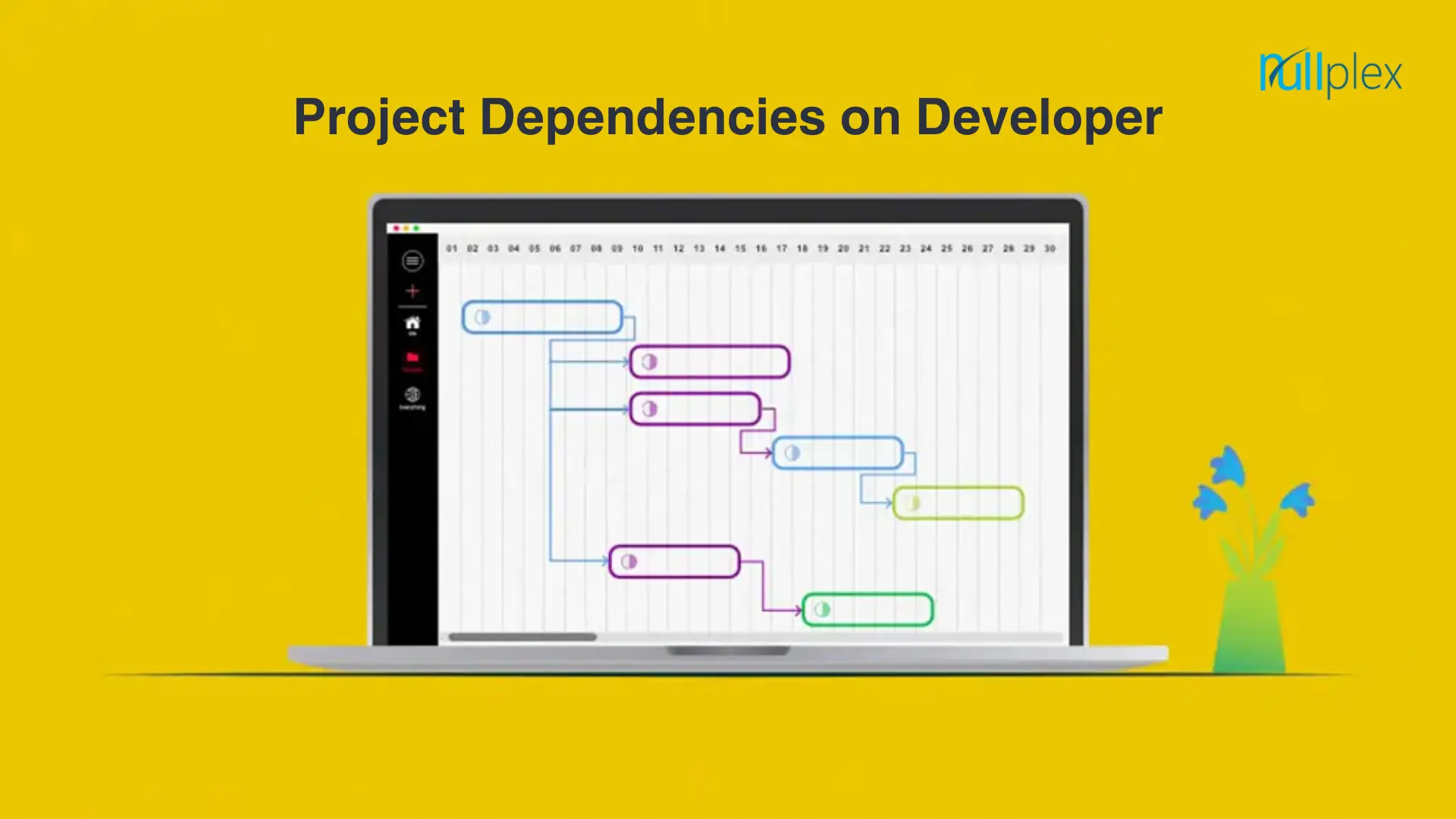
Developer Dependency: A Key Element in Project Execution

Project dependencies refer to the relationships between tasks or activities within a project, where the completion or timing of one task depends on the completion of another.

Types of Project Dependencies

  1. Logical dependencies

Logical or causal dependencies are quintessential to project management and cannot be avoided as they are necessary for project completion.

Tasks with logical dependencies cannot be performed simultaneously. Without completing a preceding task, the succeeding task cannot be started.

Example – You cannot publish a blog on your website straight away. It has to be written, reviewed, and edited before it is ready to be published.

  1. Cross-team dependencies

Cross-team dependencies are commonly witnessed in large-scale organizations where teams from different departments work together to complete a single complex project. In this case, teams depend on each other to achieve a common goal i.e. timely project completion and delivery.

  1. Discretionary dependencies

Discretionary dependencies, also known as preferred or soft logic dependencies, are those that are at the discretion of project teams, other stakeholders, and best industrial practices. These are not necessary for project completion but can help improve the quality of project deliverables.

  1. Internal dependencies

Internal project dependencies are those that project teams have complete control over and there’s no dependence on outside parties. Internal dependencies are when two tasks or activities within the same project are dependent on each other and there’s no reference to external projects and activities.

Example – The Quality Analyst team is not in a position to test software until the development process is finished.

  1. External dependencies

Opposite to internal dependencies, external dependencies are those when project teams have no control over external factors and are not in a position to do anything to escalate the project’s progress.

Although most project activities are controlled by internal teams. Many external factors can affect the progress of the projects such as client approval, vendors, tools, and others.

Example – A project team cannot start working on a project until the client (external party) gives the go-ahead to the team. In this case, a project team is dependent on external parties i.e. client to start working on a project.

Task dependencies in project management :

Finish to Start (FtS)

This task dependency is the most prevalent. Task A must be finished before Task B can begin.

Finish to Finish (FtF)

Before Task A is finished, Task B cannot be finished. This frequently occurs with tasks that have subtasks.

Start to Start (StS)

Task B cannot begin until Task A begins under this model. These are for tasks that need to be completed concurrently.

Start to Finish (StF)

For Task A to be finished, Task B must begin. This is crucial in circumstances where there must be overlap.

Conclusion :

Also, weekly assigned tasks will make it easier for the reviewing party to provide feedback in a more timely manner.

Weekly goals will help you focus on little portions of the projects, minuscule tasks that can be mapped out beforehand according to their urgency and priority.

These goals will help the team focus more on the task at hand. Therefore, there is no chance that they would get overwhelmed by the pressure of the upcoming tasks.

How to Maintain a Healthy Work-Life Balance?

What is Work-Life Balance?:

Healthy work-life balance refers to maintaining a harmonious relationship between your work and personal life. It involves consciously managing your time and energy to meet both professional and personal commitments while prioritizing self-care and well-being. Striking this balance isn’t just about time management; it’s about energy management and making conscious choices that align with your values.

You should expect disruptions to this balance and anticipate the scales between work and life duties to shift frequently. Work responsibilities often interfere with personal commitments, and personal issues can impact work performance. It’s essential, however, to recognize what factors can negatively impact your work-life balance.

What factors can disrupt your work-life balance?

Numerous factors can disrupt the balance between your work and personal duties, such as:

  • Excessive work hours
  • Limited flexibility in your work schedule
  • Fear of losing your job
  • Last-minute family duties, such as a sick child
  • Long commute times
  • Increased personal responsibilities, such as aging parents
  • Taking calls after work hours
  • Ongoing health issues
  • Childcare issues
  • Lack of boundaries between work and life duties

The importance of work-life balance:

  1. Reduces Stress: If you’re feeling overwhelmed at work and home, developing a solid balance between work and personal responsibilities is necessary. The good news is that setting clear boundaries between your work and personal duties can help to alleviate this stress and bring more joy to your overall life.
  2. Improved mental and physical health: Long-term stress can affect your mental and physical well-being and lead to health issues like depression, anxiety, heart disease, and high blood pressure. Bringing balance to your life can give you time to focus on yourself and reduce the risk of these illnesses.
  3. Strengthens Relationships: Time away from work allows you to nurture relationships with family and friends, building a strong support network which can provide encouragement during tough times at work.
  1. Higher Productivity: Do you ever feel like you’re working more but completing less? When you feel unbalanced, your mind can wander to the things you wish you were doing. When you feel you have time for both work and play, projects go smoothly because you can focus on one thing at a time.
  2. Career Advancement: If you’re not getting projects completed on time, have mind-drift during meetings, and wake up dreading going to work, chances are you’re not going to be the first person your boss thinks of when it’s time for a raise or promotion. Making enough time for sleep and exercise helps you fully participate and be present at work to keep you on track for advancement.

Tips for Achieving Work-Life Balance

  1. Plan ahead: Plan to combine work activities with leisure, social, or fitness activities. If you find yourself with several virtual meetings back-to-back, try taking them while you go for a walk.
  2. Define Your Priorities: Take the time to identify your core values and priorities in life. Reflect on what truly matters to you, both personally and professionally. This self-awareness will guide you in making decisions that align with your values and help you strike a balance between work and personal life.
  3. Set Boundaries: One of the first steps to achieving balance is creating clear boundaries between work and personal life. Avoid checking work emails during your downtime, and try to leave work-related stress at the office
  4. Learn to Say No: Learning to say no is a powerful skill when it comes to maintaining work-life balance. Prioritize your commitments and avoid overloading yourself with excessive work or personal obligations. Remember, saying no to certain things allows you to say yes to what truly matters to you.
  5. Make Time for Yourself: Self-care is essential to maintaining your mental and physical well-being. Whether it’s exercising, reading, meditating, or simply spending time outdoors, dedicate time each day to activities that recharge you.
  6. Prioritize Self-Care: Make self-care a non-negotiable part of your routine. Engage in activities that nourish your mind, body, and soul, such as exercising, meditating, pursuing hobbies, or spending quality time with loved ones. Taking care of yourself ensures you have the energy and resilience to excel in both your personal and professional life.
  7. Take Breaks and Vacations: Short breaks throughout the day help refresh your mind, while vacations allow for longer recovery periods. Both are essential for maintaining balance and preventing burnout.

Conclusion

The conclusion of work-life balance is that it’s important for both individuals and organizations and can lead to many benefits. Work-life balance isn’t a one-size-fits-all formula. It’s a dynamic, ongoing process that involves conscious decisions about how to allocate your time and energy. By setting boundaries, managing your time wisely, and prioritizing self-care, you can maintain a healthy balance that leads to greater satisfaction in both your professional and personal life.

The Benefits of Using Front-End Frameworks in Web Development

Front-end frameworks are powerful tools used by web developers to streamline the process of building complex, interactive, and responsive web applications. Here are several reasons why using a front-end framework is advantageous:

  1. Efficiency and Speed

Reusable Components: Front-end frameworks provide a library of reusable components (e.g., buttons, forms, modals) that developers can quickly integrate into their projects, saving time on design and implementation.

Pre-built Functionality: Many frameworks come with pre-built functionalities and patterns for common tasks such as data binding, form validation, and routing, reducing the amount of code developers need to write from scratch.

  1. Consistency and Standardization

Unified Codebase: Using a framework ensures that the codebase follows a consistent structure and coding standards, making it easier for multiple developers to work on the same project.

Best Practices: Frameworks often enforce best practices in web development, helping developers avoid common pitfalls and write more maintainable code.

  1. Responsive Design

Mobile-Friendly: Modern front-end frameworks like Bootstrap and Foundation are designed with mobile-first principles, ensuring that web applications are responsive and work well on a variety of devices and screen sizes.

  1. Cross-Browser Compatibility

Polyfills and Shims: Frameworks often include polyfills and shims that handle cross-browser inconsistencies, allowing developers to write code that works across different web browsers without having to worry about compatibility issues.

  1. Enhanced User Experience

Rich Interactivity: Front-end frameworks like React, Angular, and Vue.js provide advanced features for building highly interactive user interfaces, such as state management, component lifecycle methods, and virtual DOM manipulation.

Smooth Transitions and Animations: These frameworks often include built-in support for animations and transitions, contributing to a more polished and engaging user experience.

  1. Community Support and Resources

Extensive Documentation: Front-end frameworks typically come with comprehensive documentation that helps developers understand how to use their features effectively.

Community Contributions: A large and active community around popular frameworks means that developers can find a wealth of tutorials, plugins, extensions, and forums to assist with troubleshooting and extending functionality.

  1. Scalability

Modular Architecture: Frameworks encourage a modular approach to development, where the application is broken down into smaller, manageable components. This makes it easier to scale and maintain the codebase as the application grows.

State Management: Tools and patterns provided by frameworks (like Redux for React) help manage application state in a predictable way, which is crucial for building large-scale applications.

  1. SEO Optimization

Server-Side Rendering (SSR): Frameworks like Next.js (built on React) offer server-side rendering capabilities, which can improve the SEO of web applications by ensuring that search engines can crawl and index the content effectively.

Static Site Generation (SSG): Some frameworks support static site generation, which pre-renders pages at build time, improving load times and SEO performance.

  1. Debugging and Testing Tools

Developer Tools: Many front-end frameworks come with integrated developer tools that help with debugging, performance monitoring, and state inspection.

Testing Utilities: Frameworks often provide or are compatible with robust testing utilities and libraries (e.g., Jest for React, Jasmine for Angular), facilitating thorough testing of the application.

In summary, front-end frameworks significantly enhance the development process by providing tools and patterns that boost productivity, ensure consistency, and improve the overall quality and performance of web applications.

– Amol Kanade

The Power of APIs: The Hidden Backbone of Modern Technology

APIs, which stand for Application Programming Interfaces, are essential tools that allow different software components to communicate and transfer data seamlessly. Developers use APIs to bridge gaps between various pieces of code, creating applications that are powerful, resilient, secure, and tailored to meet user needs. Although invisible to end-users, APIs operate tirelessly in the background, enabling the digital experiences that are integral to our daily lives.

Examples of APIs in Everyday Life

  • GitHub API

The GitHub API provides developers with a set of tools to interact programmatically with GitHub. This means developers can automate tasks such as creating, reading, updating, and deleting repositories, files, and issues. For instance, a developer might use the GitHub API to automatically create a new repository and add collaborators whenever a new project is created in their project management tool, saving time and reducing the risk of manual errors.

  • PayPal API

PayPal is a leading payment service provider, and its API simplifies and secures the payment process. On many e-commerce websites, you’ll find a “Pay with PayPal” option. Clicking this button redirects you to PayPal to complete the transaction. PayPal’s API ensures your debit or credit card information is securely handled, protecting your financial details from being shared with merchants.

  • Social Media Bots

Bots like Twitter and Reddit utilize open APIs to perform various automated tasks. For example, a Twitter bot might send you reminders to drink water, or a Reddit bot could reply to comments with punchlines. These bots respond to triggers from the platform’s API, demonstrating how APIs facilitate creative and practical solutions.

  • Third-Party Login

Many applications allow users to sign in using their Facebook, Google, or GitHub accounts. This process involves an API call to check if the user is already signed in to the third-party service, handling authentication on behalf of the application. This integration simplifies the login process and enhances security.

  • Weather Apps

Weather apps and smart devices often gather data through APIs from weather services. Instead of collecting weather data independently, these applications send API requests to weather services to retrieve accurate and up-to-date information, showcasing how APIs streamline access to external data sources.

  • Streaming Services

Platforms like Netflix and Spotify use APIs to distribute media content across various devices, ensuring compatibility and a seamless streaming experience whether on a PC, smart TV, or mobile device.

  • Financial Apps

Banks use internal APIs to manage all aspects of their financial services. These APIs enable different departments, from customer service to account management, to communicate and work together efficiently.

Benefits of APIs

APIs connect various software systems, applications, and devices by allowing them to communicate with one another. This unlocks many benefits, ranging from enhanced user experiences to increased business efficiency. The most common advantages of APIs include:

  • Automation:APIs can be used to automate repetitive, time consuming work so that humans can focus on more complex tasks. This improves productivity, especially for developers and testers.
  • Innovation:Public APIs can be used by external engineering teams, which innovation and accelerates development by enabling developers to repurpose existing functionality to create new digital experiences.
  • Security:APIs can provide an additional layer of protection against unauthorized breaches by requiring authentication and authorization for any request to access sensitive data.
  • Cost efficiency:APIs provide access to useful third-party tools and infrastructure, which helps businesses avoid the expense of building complex in-house systems.

Most common API architectural styles-

The most frequently used architectural styles are:

  • REST

RESTful API is an interface that two computer systems use to exchange information securely over the internet. Most business applications have to communicate with other internal and third-party applications to perform various tasks. For example, to generate monthly payslips, your internal accounts system has to share data with your customer’s banking system to automate invoicing and communicate with an internal timesheet application. RESTful APIs support this information exchange because they follow secure, reliable, and efficient software communication standards.

  • SOAP

SOAP, which stands for Simple Object Access Protocol, uses XML to transfer highly structured messages between a client and server. SOAP is often used in enterprise environments or legacy systems, and while it includes advanced security features, it can be slower than other API architectures.

  • GraphQL

GraphQL is an open source query language that enables clients to interact with a single API endpoint to retrieve the exact data they need, without chaining multiple requests together. This approach reduces the number of round trips between the client and server, which can be useful for applications that may run on slow or unreliable network connections.

Conclusion

In conclusion, APIs (Application Programming Interfaces) serve as the silent heroes of modern technology, enabling seamless communication and data transfer between diverse software components. While often unnoticed by end-users, APIs play a pivotal role in shaping the digital experiences that have become integral to our daily lives.

Building a successful API is an art,comprising business analysis,technology architecture,software development,partnership,content writing,developer relations,support and marketing.it takes to build a good,popular API.They are the backbone of modern technology, driving connectivity, efficiency, and innovation across the digital landscape.

– Rina Pardeshi

Common Mistakes in SQL Queries and How to Avoid Them

Introduction:

SQL (Structured Query Language) is a powerful tool for managing and manipulating data in relational databases.       However, even experienced developers can make mistakes when writing SQL queries, leading to performance issues, incorrect results, or security vulnerabilities. We all make mistakes and learn from them. It is a good practice to make mistakes but not repeat them in the future.  In this article, we will discuss some common SQL mistakes and provide tips on how to avoid them.

  1. Order of Execution of the Query

One of the crucial points that should not be ignored at any cost is the order of execution of a particular query. The order needs to be in the below format, or the output won’t be the desired one, and sometimes it even creates an error in the query.

Getting the Data (From, Join)

Filtering the Row (Where)

Grouping (Group by)

Group Filter (Having)

Return Expressions (Select)

Order & Paging (Order by & Limit / Offset)

  1. Know the best plan for your query

Save yourself the trouble by planning and executing the command for the big queries. The last thing you want to do is execute a big query with too many nested loops.Always make a habit of planning and structuring the query format and even testing out the query with the sample data.

  1. Not Using Indexes:

Failing to use indexes can severely impact query performance, especially on large tables. It’s essential to identify columns that are frequently used in WHERE, JOIN, or ORDER BY clauses and create indexes on those columns.

Incorrect Query:

SELECT * FROM payments WHERE payment_date = ‘2024-05-01’;

Corrected Query (with Index):

SELECT * FROM payments WHERE payment_date = ‘2024-05-01’

AND customer_id = 123;

  1. Never use Select *

Using SELECT * to retrieve all columns from a table is not only inefficient but can also lead to unexpected results, especially when the table structure changes. Not to use select * is mainly for performance and security reasons. For the following example.

Incorrect Query

SELECT * FROM payments

Corrected Query

SELECT payment_id, payment_amount, payment_date FROM payment

  1. Not Handling NULL Values Properly:

NULL is a special marker in SQL that represents the absence of a value. Many developers make the mistake of using the equality operator (=) to compare NULL values, which doesn’t work as expected. To handle NULL values correctly, you should use the IS NULL or IS NOT NULL operators instead of equality operators.

  1. Using DISTINCT unnecessarily

The DISTINCT keyword is a powerful tool in SQL that allows you to remove duplicate rows from the results of a query. However, using DISTINCT can also have a negative impact on PostgreSQL performance, especially when it is used unnecessarily.

To avoid using DISTINCT unnecessarily, it’s important to carefully consider whether it is needed for your queries. In some cases, you may be able to rewrite your queries to avoid the need for DISTINCT. For example, you may be able to use a GROUP BY clause to group the results and eliminate duplicates.

  1. Use EXISTS() Instead of COUNT()

Though you can use both EXIST() and COUNT() to discover whether the table has a specific record, using EXIST() is more effective. While COUNT() will search the entire table to provide the total number of matching records, EXIST() will only run until it locates the record’s first entry in the table, saving you time and computing power and enabling you to optimize SQL queries.

Conclusion

In conclusion, when it comes to writing efficient SQL queries, it is important to avoid some common mistakes. To avoid these mistakes, it is important to carefully analyze the data and the requirements of the query and choose the most appropriate approach. This may involve using indexing, optimizing queries for performance, and minimizing data transfers. Always double-check your queries before executing them and test them thoroughly to ensure they return the expected results.

– Bhagyashree Patil

Building Real-time Applications with PHP and Web Sockets: A Comprehensive Guide

In today’s fast-paced digital world, users expect real-time interactions and updates in web applications. Traditional HTTP request-response communication can be limiting for building dynamic and interactive applications. However, with the advent of Web Sockets, developers now have a powerful tool for creating real-time web experiences. In this blog post, we’ll explore how to leverage PHP and Web Sockets to build robust real-time applications.

Understanding Web Sockets

Web Sockets provide a full-duplex communication channel over a single, long-lived connection between the client and the server. Unlike traditional HTTP, where the client sends a request and the server responds, Web Sockets allow for bi-directional communication, enabling real-time data transfer without the overhead of repeated HTTP requests.

Setting Up Web Sockets with PHP

While PHP is traditionally used for server-side scripting in HTTP-based applications, it can also be used to implement Web Socket servers. There are several PHP libraries and frameworks available for web Socket implementation, such as Ratchet, PHP-Web socket, and Web Socket-PHP. These libraries abstract away the complexities of Web Socket protocol handling, allowing developers to focus on building real-time features.

Building a Real-time Chat Application

Let’s walk through the process of building a simple real-time chat application using PHP and Web Sockets:

Setting Up the Web Socket Server: Use a Web Socket library like Ratchet to create a Web Socket server in PHP. This server will handle Web Socket connections from clients and facilitate real-time message exchange.

Client-Side Implementation: Develop the client-side interface using HTML, CSS, and JavaScript. Use the Web Socket API in JavaScript to establish a connection to the Web Socket server and send/receive messages in real time.

Handling Web Socket Events: Implement event handlers on the server side to handle Web Socket connection, disconnection, and message reception events. Define actions to be taken when messages are received from clients, such as broadcasting messages to all connected clients.

User Authentication and Authorization: Implement user authentication and authorization mechanisms to ensure that only authenticated users can participate in the chat and access certain features.

Enhancing User Experience: Implement additional features to enhance the user experience, such as typing indicators, message timestamps, and message persistence (storing chat history).

Scaling and Deployment Considerations

As your real-time application grows in complexity and user base, it’s important to consider scaling and deployment strategies. You may need to deploy multiple WebSocket servers behind a load balancer to handle increased traffic and ensure high availability. Additionally, consider using caching mechanisms and optimizing database queries to improve performance.

– Nishigandha Kardak

How to create a React App using Webpack from scratch?

In this article, I have created a React application from scratch using Webpack.

The libraries used are listed below:

    “react-dom”: “^17.0.2”,

    “react”: “^17.0.2”,

    “react-router-dom”: “^5.1”,

    “webpack”: “^5.68.0”,

    “webpack-cli”: “^4.9.2”,

    “webpack-dev-server”: “^4.7.4”

    “html-webpack-plugin”: “^5.5.0”,


1) Clone all the content from the git initial branch which contains the node packages we will use and the folder structure with the files we need to create an application.

2) We must add two new scripts inside package.json file

    “build”: “webpack build –config webpack.config.js” – to build react app.

    “serve”: “webpack serve –config webpack.config.js” – to run and serve on react application on local.

3) Overview of some important files created and their purpose:

package.json – Contains which libraries and dependencies we are using. run/build scripts we will define here.

index.html – Main entry file.

index.js – Webpack will see the first file.

webpack.config.js – Define all configurations of webpack here.

App.js – All routes and navigation logic added here.

The pages folder contains different pages.

The button is the common component we use to navigate through the application.

As we must focus on webpack configuration here all other react and HTML will be as simple as it must work only.

A short description and links to articles for reference under webpack config file.

to run the application – npm run serve

to extract the build – npm run build

{bulid will be exported under the dist folder.}

Visit the GitHub repository for this project.

React App Using Webpack

Thank you. Have a good day.

– Atish Bagate

Dreaming to be the Developer: Personal and Professional Growth

As a developer, I might dream of becoming someone who excels in technical skills and embodies certain values and characteristics that contribute to personal and professional growth. Here’s how I might envision that journey:

Continuous Learning: I dream of being a developer who never stops learning. I want to stay updated with the latest technologies, frameworks, and best practices in the rapidly evolving field of software development. Whether it’s through online courses, reading books, attending workshops, or collaborating with peers, I aim to expand my knowledge and skills continuously.

Problem Solver: I aspire to be a developer who is known for my problem-solving abilities. I want to tackle complex challenges with creativity and perseverance, breaking them down into manageable tasks and finding innovative solutions. Whether it’s debugging code, optimizing performance, or architecting scalable systems, I want to approach problems with a positive attitude and a determination to succeed.

Effective Communicator: I dream of being a developer who communicates effectively with team members, stakeholders, and clients. Clear and concise communication is essential for understanding requirements, discussing technical solutions, and collaborating on projects. Whether it’s through written documentation, verbal explanations, or presentations, I want to convey ideas in a way that is understandable and persuasive.

Collaborative Team Player: I aspire to be a developer who thrives in a collaborative team environment. I want to contribute to my team’s success by sharing my knowledge and expertise, offering support and encouragement to colleagues, and fostering a culture of trust and respect. I believe that great software is often the result of teamwork, where individuals bring their unique strengths together to achieve common goals.

Passionate Creator: I dream of being a developer who is passionate about my craft. I want to take pride in the software I create, striving for excellence in every line of code. Whether it’s building user-friendly interfaces, designing efficient algorithms, or architecting robust systems, I want to approach my work with enthusiasm, dedication, and a commitment to quality.

Ethical and Responsible: I aspire to be a developer who is ethical and responsible in my actions. I want to prioritize integrity, honesty, and accountability in all aspects of my work, respecting privacy, security, and intellectual property rights. Whether it’s adhering to coding standards, following industry best practices, or considering the ethical implications of technology, I want to make decisions that reflect my values and contribute to a better world.

Lifelong Impact: Ultimately, I dream of being a developer who makes a positive and lasting impact on the world. Whether it’s through creating innovative products that improve people’s lives, contributing to open-source projects that benefit the community, or mentoring the next generation of developers, I want to leave a legacy that inspires others and makes the world a better place.

In summary, my dream as a developer is not just about achieving technical proficiency or professional success, but also about embodying values such as continuous learning, problem-solving, effective communication, collaboration, passion, ethics, and making a positive impact. By striving to cultivate these qualities, I believe I can fulfill my potential as a developer and contribute meaningfully to the ever-evolving field of technology.

– Dhanashri Khairnar

What is Micro Frontend? Why use Micro-frontend?

What is Micro-Frontend?

Micro-services are the modern mode of architecture used to build applications, in such a way that one module is independent from another. or loosely connected. Micro Frontends are the same Concept as frontend technologies. we can develop and deploy different modules as per our needs. Micro Frontends provides a modern approach to building applications by breaking an entire application into smaller modules or services.

Benefits of Micro-Frontend:

1) Scalability: The application can be scalable by dividing our application into smaller parts we can divide our large application into easy and manageable ways.

2) Easy maintenance: By Dividing the frontend into smaller parts, we can manage our application easily and track the changes.

3) Code reusability: By using this approach we can able to reuse components and functions all over the application. (ex. buttons, tables, grid, etc.)

4) Scalability: The application is scalable and can be developed independently without being affected by another module.

5) Higher performance: With the micro frontend architecture, a specific module of the application is loaded on demand, thus reducing the initial loading time, leading to higher performance of our application.

6) Difference frontend technologies to use: we get a choice to use different tech stack in our different modules for ex. vue, react, angular.

When we will decide to use Micro-Frontend?

Micro-Frontend is used when our application becomes larger and there is scope to add multiple functionalities to the application. Each module will have its specific purpose to work and together form one Micro-Frontend application.

Challenges in Implementing Frontend:

There are some pitfalls to using these approaches for micro-frontend.

1) To Organize Teams for Different Micro-Frontends.

2) Handling of Authentication and Error management across all applications.

3) Testing Each Module is difficult.

4) Data Sharing and communication between two modules may be tricky.

5) Deployment CI-CD pipeline may be a bit difficult.

Wrapping Up:

Micro-frontends are the way to resolve big challenges of Applications in the current frontend world. It resolves the challenges to develop and maintain applications. we should need to understand our application requirements and choose the Micro-Frontend.

For more reference check out this frontend application  https://github.com/atishbagate/micro-frontend_movie-app

– Atish Bagate.

Best Practices for Securing Your Web Applications

In an era dominated by digital interactions, web applications have become integral to our daily lives. From online shopping to social networking, these applications facilitate seamless user experiences. However, with the convenience they offer, web applications also attract the attention of malicious actors. Ensuring the security of your web applications is paramount to safeguarding sensitive data and maintaining user trust. In this blog post, we’ll delve into key best practices for fortifying your web applications against potential threats. 

  1. Regular Software Updates and Patching:

Keeping your web application’s software, frameworks, and libraries up to date is a fundamental step in mitigating security risks. Regularly check for updates and security patches, applying them promptly to address known vulnerabilities. 

  1. Implement HTTPS for Secure Communication:

The adoption of HTTPS is non-negotiable when securing data in transit. Encrypting the communication between clients and server’s safeguards sensitive information from interception. Acquiring and deploying an SSL/TLS certificate ensures that your users can trust the integrity and confidentiality of their data. 

  1. Robust Input Validation and Sanitization:

Guard against injection attacks by implementing stringent input validation and sanitization. Validate user inputs on both the client and server sides to thwart common threats such as SQL injection and Cross-Site Scripting (XSS). Sanitize inputs before processing to eliminate any malicious code that might compromise your application’s security. 

  1. Session Management for Enhanced Security:

Protecting user sessions from hijacking or fixation is crucial. Utilize strong session identifiers, enforce session timeouts, and regenerate session identifiers after login. These measures contribute to a secure session management strategy, reducing the risk of unauthorized access. 

  1. Authentication and Authorization:

Strengthen your web application’s security by implementing robust authentication mechanisms, including multi-factor authentication (MFA). Ensure that only authorized personnel can access specific resources through role-based access control (RBAC).  

  1. Secure File Uploads:

If your web application allows file uploads, take precautions to prevent security vulnerabilities. Validate file types, restrict sizes, and store uploads in a secure location. Incorporate anti-virus scanners to detect and eliminate potentially malicious files, bolstering your application’s defenses. 

  1. Effective Error Handling:

Customize error messages to provide minimal information to potential attackers, maintaining a balance with a user-friendly experience. Internally log errors to aid developers in identifying and rectifying issues but avoid exposing sensitive information that malicious actors could exploit. 

  1. Regular Security Audits and Penetration Testing:

Conduct routine security audits and penetration tests to identify vulnerabilities and weaknesses within your web application. Address any issues discovered during these assessments promptly, ensuring that your application remains resilient against emerging threats. 

  1. Data Encryption at Rest:

Safeguard sensitive data stored in databases or servers by encrypting it at rest. Utilize strong encryption algorithms to protect critical information such as passwords and financial data from unauthorized access. 

In conclusion, securing web applications is an ongoing commitment that demands a proactive and multi-faceted approach. By implementing these best practices, you not only fortify your web application against potential threats but also contribute to a safer online environment for your users. Remember, investing in web application security is an investment in the trust and credibility of your digital presence. 

-Vijay Porje

Career Hire Us
Request Callback

Got An Idea?

Let’s Build It.

Tell us what you need, and our team will guide you from concept to launch with clarity, speed, and expert care.